


BCBSM
4.5936.00 Reviews
App Specs
- Version
- 5.53.0
- Updated On
- License
- Free
- Downloads
- 500,000+
- Developer
- Blue Cross and Blue Shield of Michigan
- Categories
- Medical
- Platform
- Android, iOS
Screenshots
 Analysis by AppCompare
If you’ve ever been tangled in the web of healthcare apps, trying to find one that makes life easier rather than harder, you’re not alone. I recently took a deep dive into the BCBSM app, and let me tell you, it’s a game-changer for managing health plans on the go. Here’s what I discovered during my time with it.
Where it fits into a member’s routine
I see this as a practical companion to a BCBSM health plan, not a replacement for every healthcare task. Its strongest purpose is helping members get to account information and look for a doctor without having to start from scratch each time. If you are already a Michigan Blue Cross member, the app can be useful when you need plan details while away from home; if you are not a member, it is unlikely to become a regular tool for you.
A realistic use is preparing for an appointment rather than waiting until you are standing at the front desk. I would sign in beforehand, check the account information I need, and use the doctor search to narrow down where to call. That small habit can make a rushed appointment morning calmer. I would still confirm important details with the provider or the plan when a decision depends on them, rather than treating a screen as a substitute for a direct conversation.
That distinction matters because a health-plan app serves a different purpose from a general health directory or a hospital’s own patient portal. A directory may help you compare a broad range of local care options, while a provider’s portal is usually where you handle that provider’s appointments and records. BCBSM is most relevant when the question is tied to your membership and plan account.
A useful routine before care
For repeat visits, I would make the app part of a simple preparation routine: check the account, search for the type of doctor you need, and save the information you will need for the next step somewhere reliable. The useful insight is not to treat the search as the final booking step. A result helps you find a candidate, but calling the office to confirm that it is accepting patients and works for your particular needs can prevent a wasted trip.
If you are helping a family member, the app can also be a convenient place to start when you need to look up plan information or locate care. I would keep the member’s login private and let them sign in themselves when possible. Health-plan access is personal, and sharing credentials can create confusion about whose account is being viewed, especially when more than one person needs help.
People who mainly need quick access to their plan account may get more out of this than someone who wants a broad health-and-wellness platform. It is also less suited to someone who does not have a BCBSM membership. In those cases, a provider’s own portal or a general directory may be the more direct choice for the task at hand.
Worth Reading Before You Choose

EA SPORTS FC Mobile 26 Is a Bigger Football Game, but It Takes Time

Flipboard Shows What News Apps Must Do Beyond the Feed

Switching to Android Auto Means Rethinking Your Driving Routine

Google Calendar Makes a Crowded Week Easier to Manage

Ludo King Makes the Most of the Minutes Between Plans

Baby Panda World Brings Quick Play to Modern Phones, but Its Game Library Feels Busy
Getting Started with BCBSM
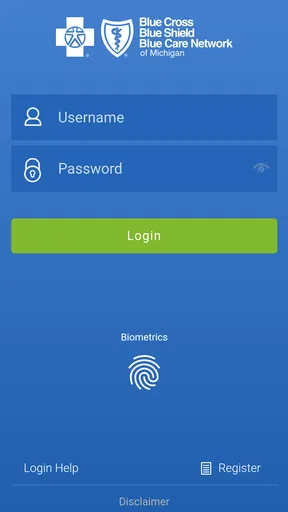
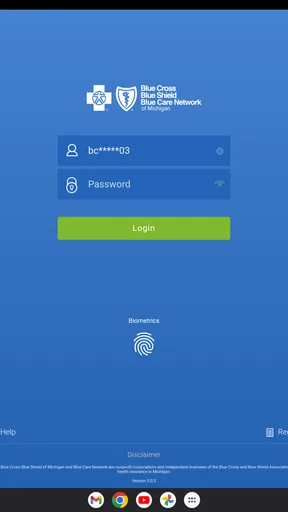
First things first, downloading the BCBSM app was a breeze. Available on both Android and iOS, it’s just a quick search away in your app store. Once installed, I was prompted to log in or create an account. If you’re already a member, logging in is straightforward. I appreciated the option for biometric login—nice touch for those of us who can never remember our passwords!
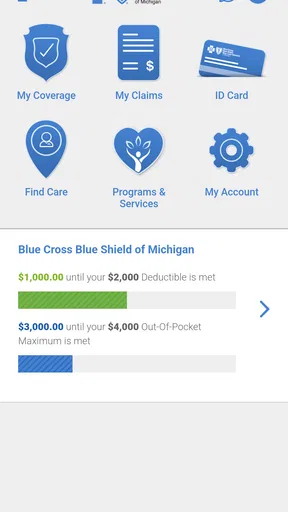
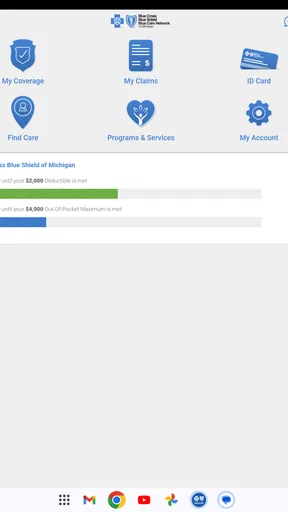
After logging in, I was greeted with a clean, intuitive interface. The home screen offers a snapshot of your plan details, recent claims, and quick links to the most used features. It’s like the app knew exactly what I wanted to see first thing.
Main Features
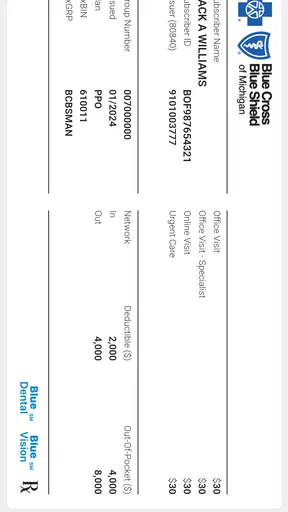
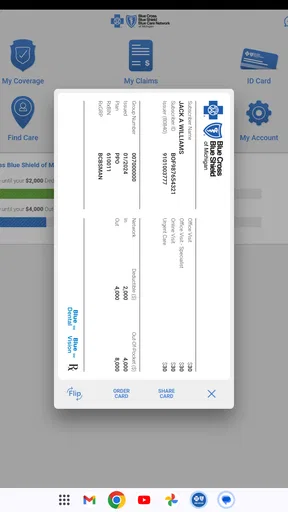
One of the standout features for me was the virtual ID card. Say goodbye to fumbling through your wallet at the doctor’s office. With a few taps, your ID card is right there on your screen, ready to be scanned or shown to any medical provider. It’s these little conveniences that make a big difference.
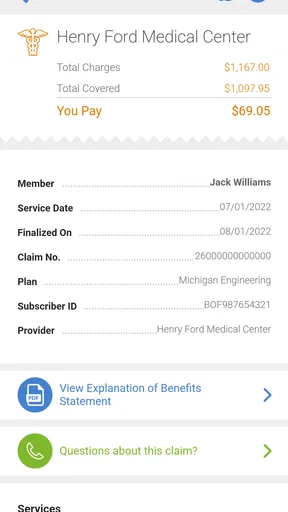
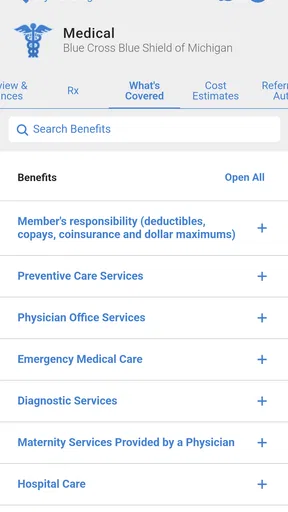
Another feature that caught my attention was the claims and benefits section. I could easily track my claims, see what’s pending, and what’s been approved. This transparency is crucial, especially when you have multiple medical appointments. Plus, seeing my deductible and out-of-pocket expenses updated in real-time is a lifesaver for budgeting.
The app also includes a provider search tool. Whether you need a specialist or a nearby pharmacy, the search tool provides detailed information, including ratings and reviews. It’s like having a healthcare directory in your pocket.
Making the most of search and account checks
The search tool is most useful when I begin with a clear need: a type of specialist, a pharmacy, or a provider in a particular area. I would use it to build a shortlist, then check the details directly with the office before arranging care. This two-step approach is especially worthwhile when the appointment is urgent or the provider must meet a specific requirement. A directory result can help with discovery, but it is not the same as confirming availability.
For account checks, I find it helpful to look before a service rather than only after receiving a bill. Reviewing plan information ahead of time can give you better questions to ask the provider or the insurer. Claims are useful for understanding what has been processed, but they are not a promise that a future service will be covered in the same way. For a complicated procedure or an uncertain benefit, contacting the plan directly is the safer move.
These habits are more valuable than repeatedly opening the app without a particular task. I would check the account when I have a reason—before an appointment, while organizing paperwork, or when following up on a claim—and then leave the rest until it is needed. That keeps a health-plan tool useful without turning it into another source of unnecessary screen time.
User Experience
Now, let’s talk about usability. Navigating the app felt intuitive. The menu is straightforward, with clear labels and icons. Even if tech isn’t your thing, you’ll find your way around without a hitch.
I particularly enjoyed the notifications feature. The app keeps you updated on important information like claim status changes or policy updates without being spammy. It feels like having a helpful assistant who knows when to give you space.
One of my favorite things was the support chat. Anytime I had a question, I could chat with a real person. No endless phone trees or waiting on hold—just quick, efficient help. This feature alone could save you a ton of time and frustration.
Settings and faster habits
My advice is to check the sign-in and notification choices early, then keep only the prompts that help you act. A biometric sign-in option can make returning to an account less of a chore, while notifications are most useful when they flag something you actually need to follow up on. I would avoid assuming that a notification answers the whole question; use it as a cue to open the relevant account section or contact support.
A faster pattern is to decide what you need before opening the app. If you are looking for a doctor, go straight to search. If you are checking account information, start there rather than browsing unrelated sections. This sounds simple, but it reduces the chance of losing time when you are in a waiting room or trying to sort out a question between errands.
For recurring care, I would keep a short personal checklist outside the app: the kind of provider needed, the questions to ask the office, and any account detail to review. The app can support those steps, but it should not be treated as a complete medical record or a booking system unless the task is explicitly available in the workflow you are using. That boundary helps set realistic expectations.
Room for Improvement
No app is perfect, and while the BCBSM app is impressive, there are a few areas where it could improve. For instance, there were moments when the app felt slightly sluggish, especially when loading detailed claim information. A little optimization here could make the experience even smoother.
Another area that could use enhancement is the health tips section. While it offers useful information, expanding this to include personalized health insights based on user data could add significant value.
Where it has limits
Healthcare account apps can make routine administration easier, but they do not remove the need to check details when the stakes are high. A claim status is not the same as a final explanation of every charge, and a provider listing is not a guarantee that an appointment is available. I would use BCBSM to get oriented and then follow up directly whenever a decision depends on current coverage, billing, or scheduling.
It is also worth choosing the right tool for the question. If you need records from a specific clinic, that clinic’s portal may be more appropriate. If you are comparing care options beyond your plan’s directory, a broader search service may be useful as a starting point, though you will still need to check whether a choice suits your coverage. BCBSM is at its best when the task begins with your plan membership.
The app is free, and its Everyone age rating makes it broadly accessible as a mobile app, but account access still depends on being a member. It is published by Blue Cross and Blue Shield of Michigan. Its 4.5 average from around 10 thousand ratings and more than 500 thousand installs suggest that many people have chosen to use it, though I would judge it by whether it handles your own plan tasks clearly. The current version is 5.52.0, and it requires Android 7.0 or later.
Final Thoughts
Overall, the BCBSM app is a robust tool for anyone navigating the complex world of health insurance. It’s designed for real people who need quick, reliable access to their health plan information. With a few tweaks, it could become an indispensable tool for even more users.
If you’re already a BCBSM member and haven’t tried the app yet, I highly recommend giving it a download. It’s like having your health plan in your pocket—ready to help whenever you need it. And let’s be honest, in today’s world, who doesn’t need a little more convenience in their life?
Who will benefit most
I would recommend it most to members who regularly need to check plan information, follow claims, or find a doctor and prefer to handle those small tasks on a phone. The value grows when you use it as part of a repeatable routine rather than expecting it to solve every healthcare question by itself. For someone who rarely needs account details and already has a dependable way to contact the plan, it may be more occasional than essential.
Before relying on it for an important appointment, I would sign in while you have time, make sure you can reach the sections you need, and note how you will contact support if a detail is unclear. That preparation is more useful than discovering a login problem at the clinic. For me, that is the right way to judge a member app: it should make common plan tasks easier, while leaving room for a human conversation when the situation is more complicated.
Pros
- User-friendly interface with intuitive navigation.
- Comprehensive health tracking and management tools.
- Seamless integration with fitness devices.
- 24/7 access to virtual care and consultations.
- Personalized health tips and reminders.
Cons
- Limited offline functionality for remote areas.
- Some features require a strong internet connection.
- Occasional delays in customer support response.
- App updates can be large and data-heavy.
- May require frequent log-ins for security.
FAQs for BCBSM
What is BCBSM and what does it offer?
BCBSM, or Blue Cross Blue Shield of Michigan, is a comprehensive health app designed to streamline your healthcare experience. It offers features such as access to your health plan details, digital ID cards, coverage information, and the ability to find in-network doctors and hospitals. The app also provides tools for managing claims and costs, making it an essential tool for policyholders.
How user-friendly is the BCBSM app?
The BCBSM app is designed with user experience in mind, featuring an intuitive interface that makes navigation straightforward. Users can easily access their health information, view claims, and manage their health plans. The app also includes a search function for finding healthcare providers, ensuring that users can quickly find the services they need.
Is my personal information safe with the BCBSM app?
Yes, the BCBSM app prioritizes user privacy and security. It uses robust encryption methods to protect your personal and health information. Additionally, users are required to set up secure login credentials, and the app supports biometric authentication options like fingerprint and facial recognition for added security.
Can I manage multiple health plans on the BCBSM app?
Yes, the BCBSM app allows users to manage multiple health plans under a single account. This feature is particularly beneficial for families or individuals with more than one policy. Users can easily switch between policies to view specific coverage details, claims, and other relevant information.
Does the BCBSM app offer customer support?
The BCBSM app includes a robust customer support feature, providing users with quick access to assistance. You can find answers to common questions within the app's support section or connect directly with customer service representatives for more detailed inquiries. The app ensures that help is just a tap away.


